
Description
BoraCon iCon — The Beast Is Finally Unleashed.
Digidesign D-Control ICON meets Studio Pro, Studio One, Cubase, and Logic Pro.
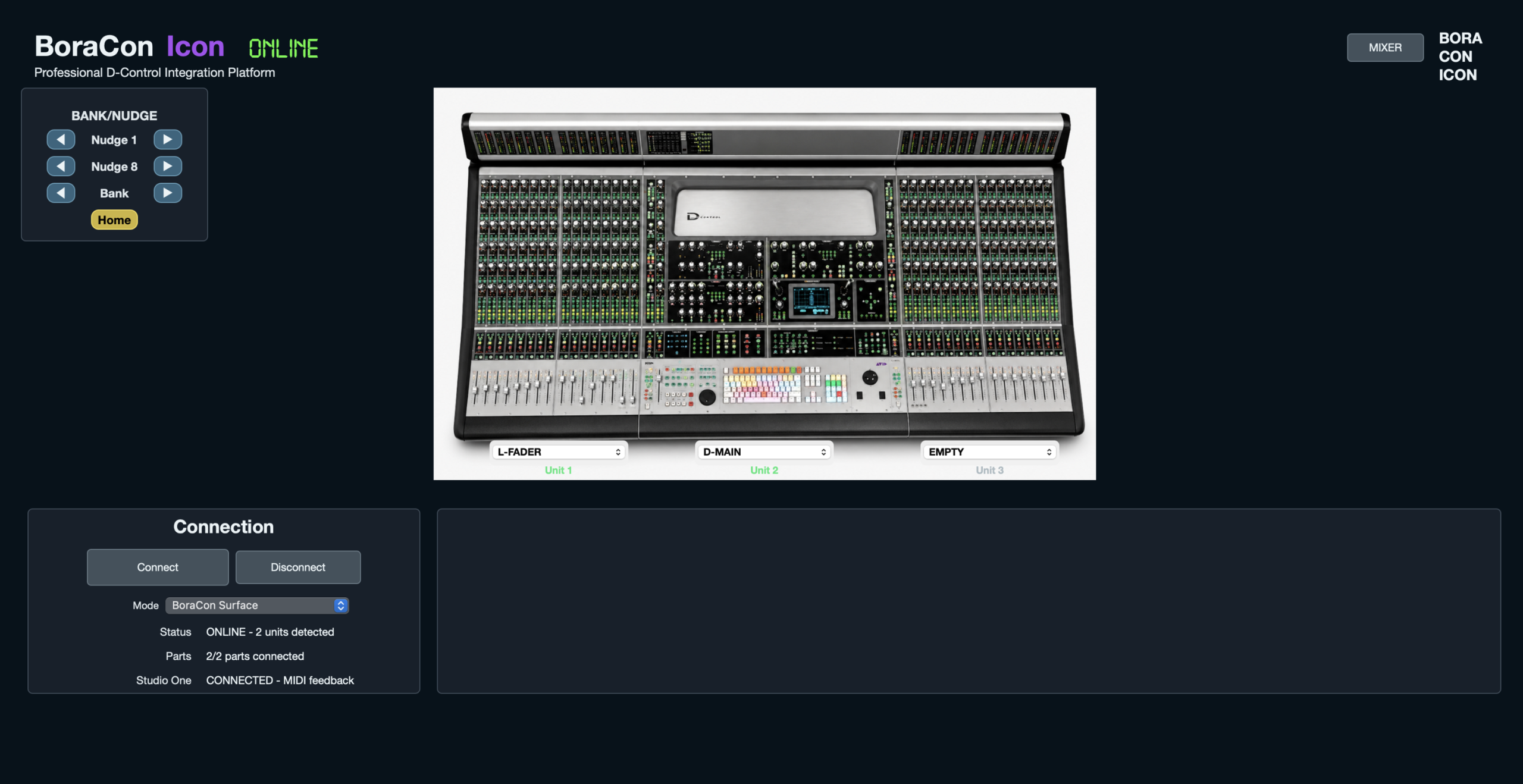
We’ve finally set the beast free! We’ve developed a dedicated application that brings the legendary Digidesign D-Control ICON to life beyond Pro Tools.
Rather than relying on Mackie HUI or third-party converters, we’ve built our own MIDI control system, delivering precise, deeply integrated control that feels as natural as working in Pro Tools.
Here’s what we’ve brought to life so far.
We now have 32 channels operational, with full Nudge navigation, Mute, Solo, Select, Input Monitoring, and Record Arm control, alongside stereo level metering.
In Studio One and Studio Pro, the application automatically detects Balance and Dual Pan modes, allowing both pan knobs to control the corresponding parameters correctly.
The channel strips provide access to Sends, Dynamics, and EQ. The dedicated EQ and Dynamics panels are also operational, with plug-in recognition and direct, hands-on parameter control from the console.
We’ve also enabled Focus Channel, bringing one of D-Control’s most valuable mixing features into the workflow.
Display Mode, Mute Clear, and Solo Clear are working too. The Master Record button indicates when a channel is armed or actively recording, while the Input button reflects input-monitoring status—the function called Monitor in Studio One and Studio Pro.
Save, Undo, Redo, and Publish are all functional, keeping even more of your workflow on the console.
Coming next: full automation control for channels and plug-ins.
This is only the beginning. Full demonstration videos are coming very soon, showing BoraCon iCon in action.
Subscribe to our channel, follow @artirecsounds on Instagram, and follow our Facebook page to stay updated.
BoraCon iCon — A new chapter for your D-Control.
Reviews
There are no reviews yet.